Invoicing with Stripe payments
Revively owns your invoices, refunds, and gift cards - they live alongside the booking, not in a separate spreadsheet. Stripe handles the money movement: take payment online, in person on an EFTPOS terminal, or by direct debit (coming soon), all on your own connected Stripe account.
Built right into the product.
No bolt-ons, no surprise add-ons. Invoicing with Stripe payments ships on plans labelled All plans.
- Online card payments and pay-now links
- EFTPOS / in-person terminal payments via Stripe
- Direct debit (coming soon)
- Refunds and gift cards tracked against the invoice
- Tax-aware line items (GST defaults included)
- Xero connect (tax mapping today; invoice sync coming soon) on Growth and Pro
How it works
Three moves and you're live.
Connect Stripe
OAuth into your existing Stripe account or open one in minutes. Funds settle directly to you.
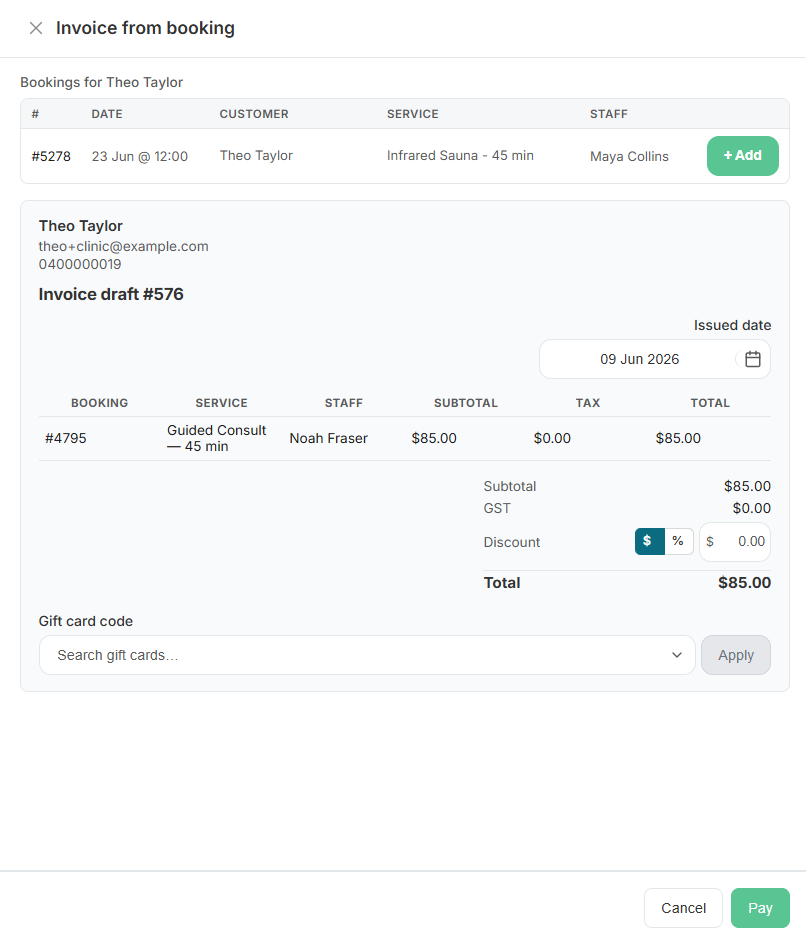
Invoice from a booking
Revively generates the invoice from a completed booking - send a payment link or take payment in person on a terminal.
Reconcile cleanly
Xero (Growth+) connect and tax mapping today; invoice sync coming soon.
Related
Pair it with
Ready to run your day, not your inbox?
Start a 15-day free trial. No credit card needed. Import your services in minutes - or pick a vertical pack and we'll seed sensible defaults.